Sign in with Google or Telegram
No more passwords to remember: sign in to BotRival with your Google or Telegram account in one tap.
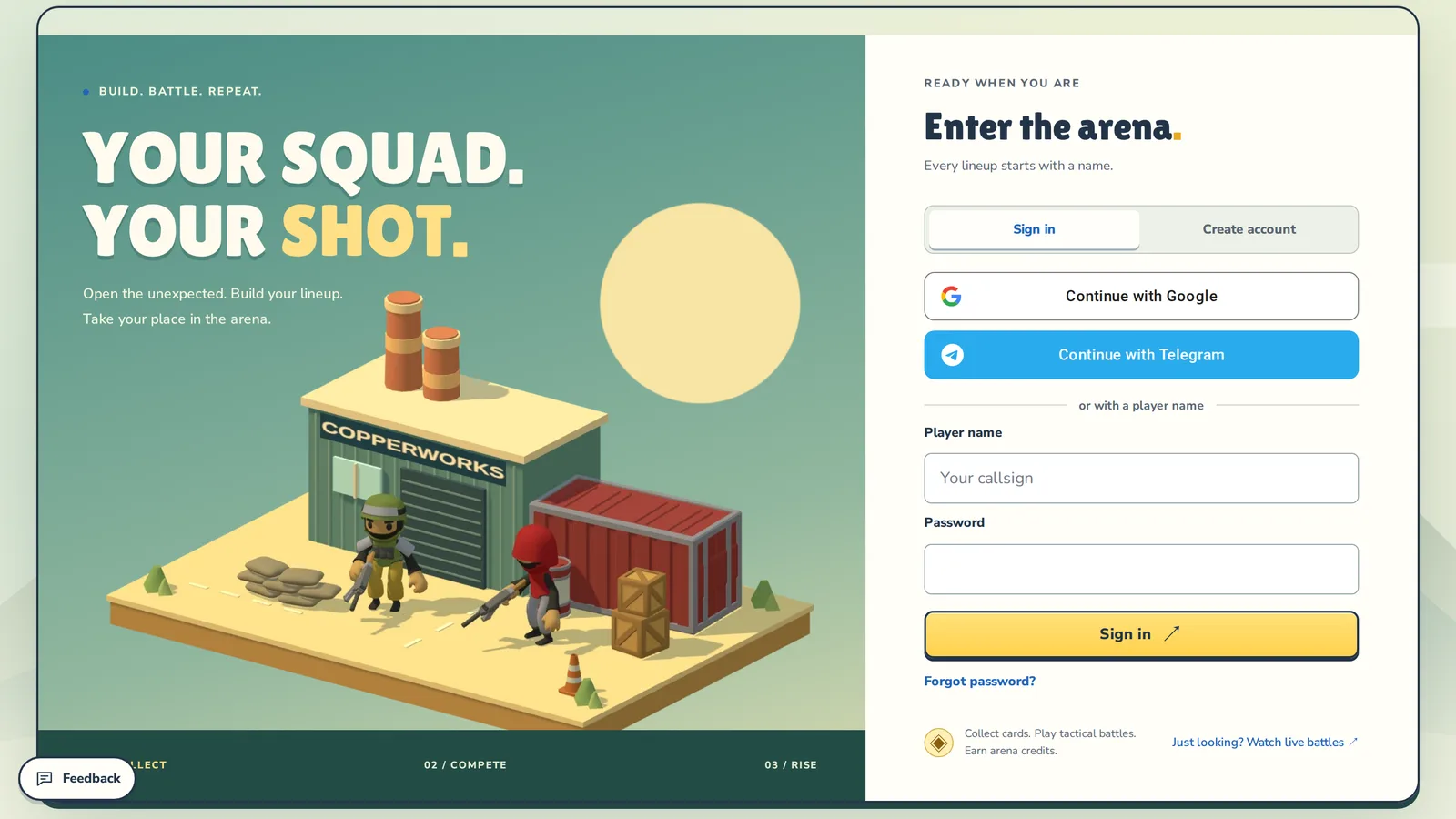
One tap instead of a password
On the sign-in page there are two new buttons: Continue with Google and Continue with Telegram. Pick one, confirm in the service, and you're back in the arena. No new password to invent, nothing to remember.

First time here?
The same buttons create an account. After the service confirms it's you, BotRival suggests a login and asks for the Name in the arena — the name other players see in the lobby, ratings and battles. Change it now or later in settings.
Already playing?
Connect a service to the account you have:
- open Account and notifications and find Sign-in methods;
- press Connect next to Google or Telegram;
- from then on, sign in with one tap.
You can also set a password there if you joined through a service. Keep at least one way to sign in — the last one can't be removed.
What we get
Only what's needed to recognize you: the service's account id and, if the service shares them, your email and public username. We never see your passwords for those services, don't post anything for you and don't read your contacts. Details are in the privacy policy.
Try it
Sign out and open the sign-in page.