See what happened to your ideas
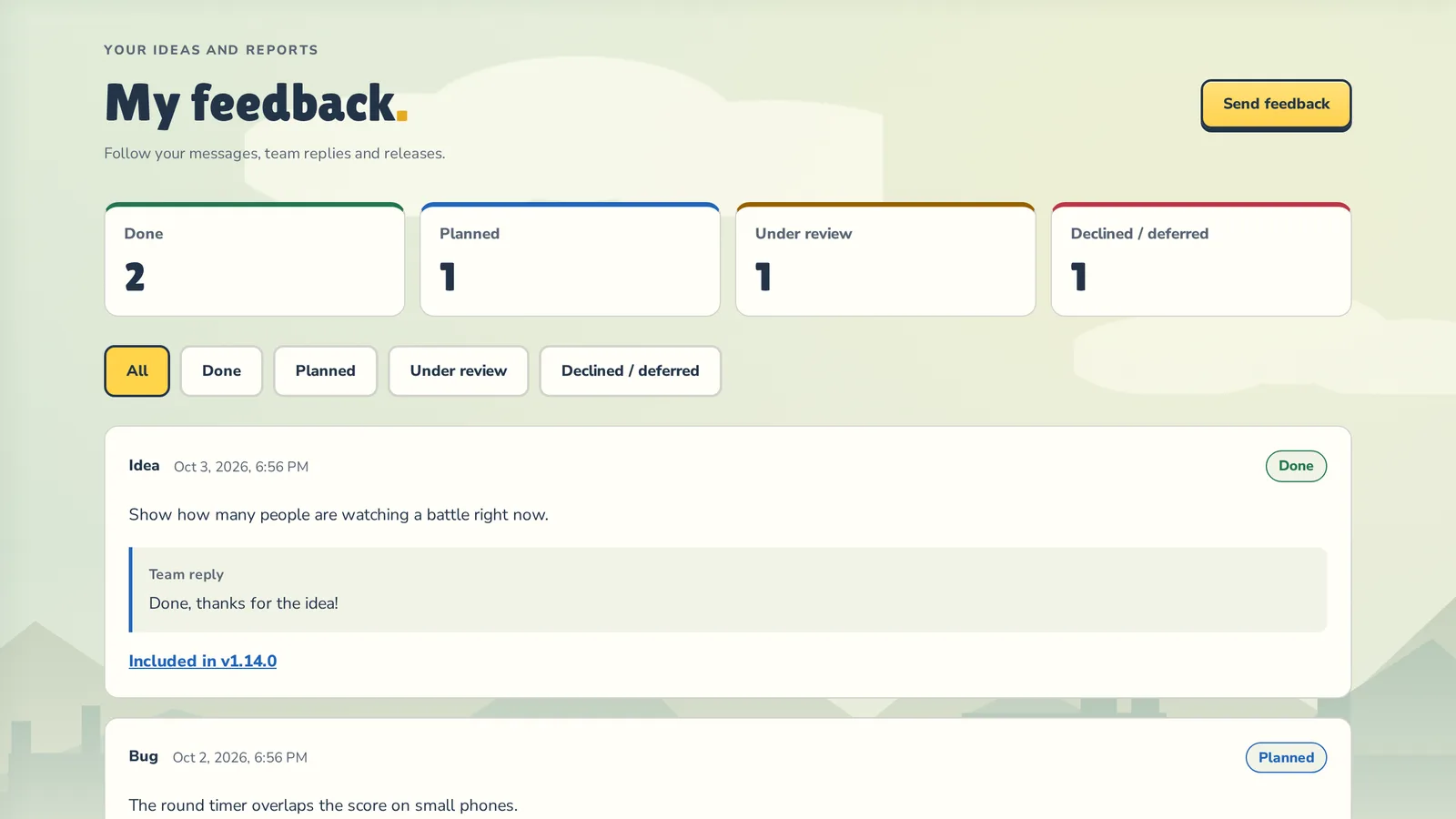
My feedback shows every bug report and idea you have sent us: its status, the team reply and the update it shipped in.
Sent us a bug or an idea through Feedback? Now you can see what happened to it.
What you see
- Where each message stands: Under review, Planned, Done or Declined / deferred.
- A short Team reply, when we have something to say.
- For finished ideas, the update it shipped in: tap Included in… to jump to the news and see what else came with it.
- A summary at the top and filters by status, so a long list stays easy to scan.
Where to find it
Sign in, open Feedback (in the menu or the floating button) and press My feedback next to Send. The same button appears right after you send a message.

Only you can see your list. Messages sent without signing in are not linked to an account, so sign in first if you want to follow them.
Keep the ideas coming: a good chunk of the last few updates started as messages from players.