Your own player page, rarity limits and clearer stats
Show off your favourite bots on a public profile, set a rarity limit for fair PvP and see exactly how far each card can grow.
From your messages in Feedback: a page of your own, battles with a rarity limit, clearer card stats and a few touches for anyone watching a battle.
Your own player page
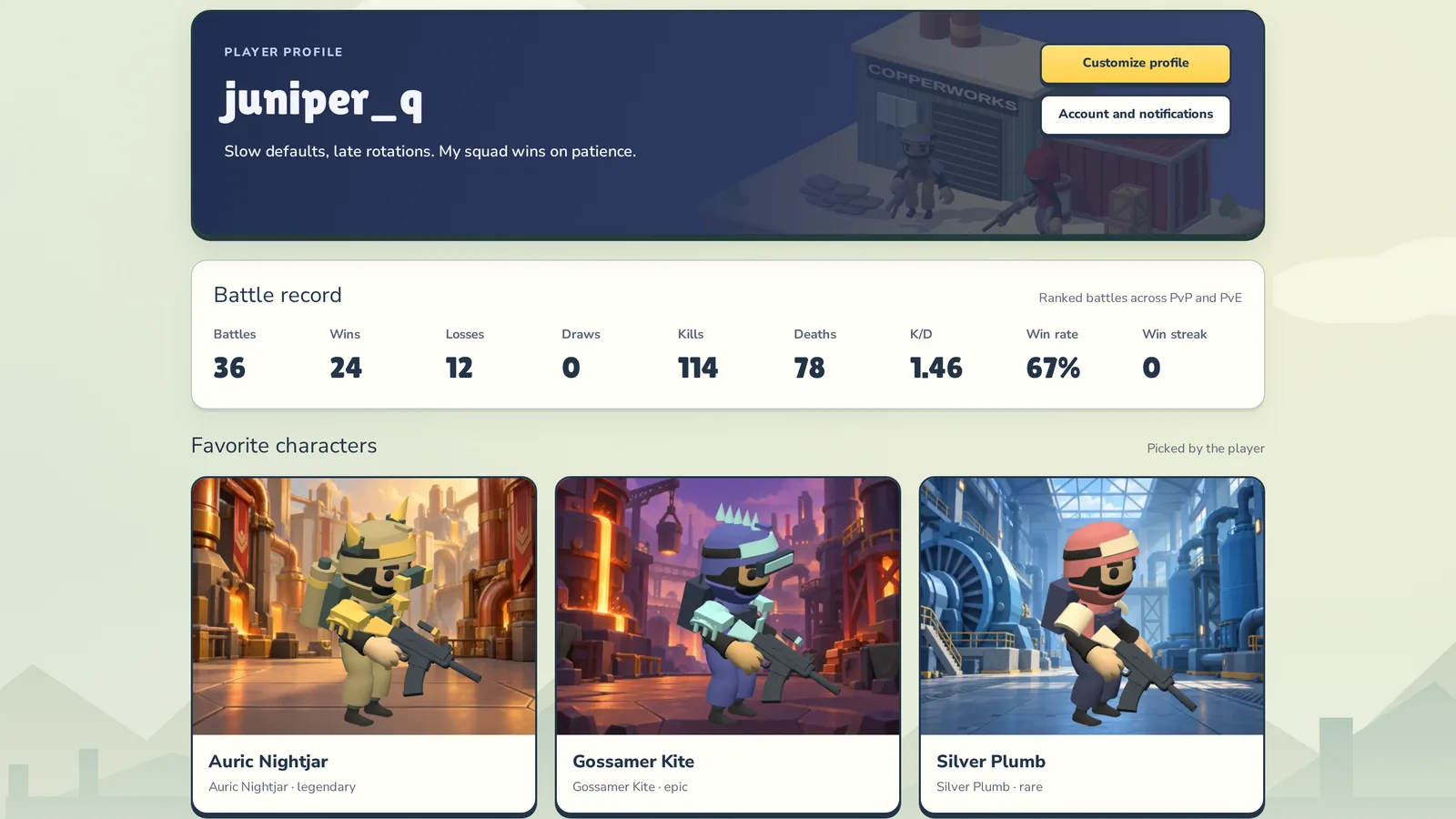
Every player now has a public profile. Click any nickname — in the Hall of fame, the lobby feed, chat or a battle — to see their record, leaderboard standings, recent battles and the bots they’re proudest of. Click your own nickname at the top to open yours, then Customize profile:
- pick a style: Copperworks, Midnight or Courtyard;
- choose up to three Favorite characters from your collection;
- put up to six trophies on the Trophy shelf — achievements, forecast titles, tournament and league wins (or let it fill itself);
- write a short About me (up to 280 characters).

Battles with a rarity limit
When you challenge a player or post an open challenge, choose a Rank limit — say, rare. The rule applies to both teams: cards above it sit this one out (they’re greyed out with Above rank limit), and rewards stay the same. So your rare squad can face someone with a legendary in their collection on equal terms. Battles against the house have no limit.

Each limit has its own table: in the Hall of fame, switch to PvP and pick a Battle rank limit. You enter it after 10 battles with exactly that limit.

How far each bot can grow
In your collection, switch to List: under every stat there’s a small grey number — how high it can still climb. Once a stat reaches its ceiling, it turns green. Sort by Potential strength to see which cards are worth playing the most.

A stat guide for newcomers
Not sure what attention or discipline actually do? How to play now explains every stat: what it changes in a fight, what low and high values look like and how your bot improves it. The ? next to your collection opens the same guide.

Watching together
A live battle now shows how many people are watching, and when a team’s owner is following their own battle you’ll see Coach watching under the team name.

And when a notification tells you about a great moment, it now opens the battle right at that moment, a few seconds before it starts. Watch live takes you back to the live broadcast.
Smaller fixes
- On phones, the Record tile in Your squad HQ no longer gets cut off.
Where to find it
Profiles — click any nickname or open the lobby. The rarity limit — in the battle builder in Battle arena once you’re signed in. The stat guide — on How to play.