Big update: friendly matches, leagues and Frame of the day
Play friends just for fun, run your own weekly league and guess today's frame — plus simpler plans, a step-by-step debrief and plenty of smaller upgrades.
A big one: the arena now has friendly matches, private leagues and a daily puzzle, plus a simpler plan window, a proper debrief and a long list of smaller fixes. Here's what changed and where to find it.
Friendly matches and rematches
When you play someone the arena counts as one of your own, the battle becomes a Friendly match: no credits, no rating and no card growth — only the score between you counts. You don't need to switch anything on; the arena marks these battles itself, and free cups are open to friends too. After any battle against a player or the house team, hit Rematch on the result screen: the same rival and team size are already filled in, so you just check your squad and go.

Your name, your way
You can now pick a Display name separate from your login — any letters, Cyrillic included, and spaces, 2 to 24 characters. It shows up in the feed, chat, leaderboard, leagues and the debrief, while you keep signing in with your old login. Set it in Wallet → Display name. The battle page also keeps the head-to-head score with each rival, and your lobby profile lists your top Head-to-head records.

Leagues
Start a private league for 3–8 friends under Leagues (sign in first): pick a name and bots per side, then share the Invite link. Once three players are in, press Start season — everyone plays everyone once, one match a week. The Season table keeps score, and every Sunday the Rolling cup goes to the leader along with a badge next to their name. No credits, just bragging rights.

Match preview
Before kick-off you now get a Match preview: each side's recent form, the head-to-head score, the key bot of each team and their favourite rifles. It sits on the battle page, pops up on air until round 1 starts and shows on live cards in the lobby.

Simple plans and HQ points
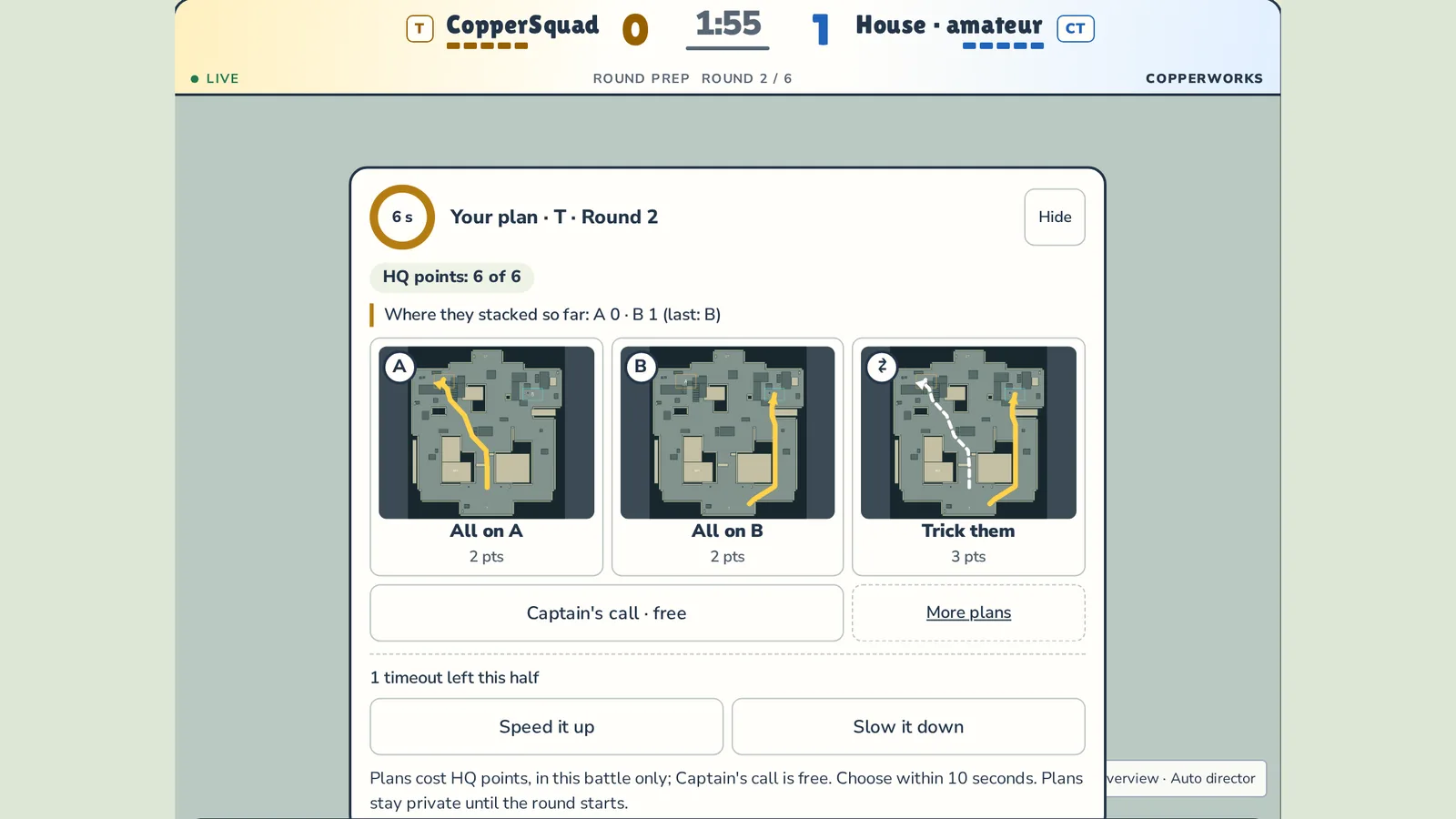
The plan window now opens with three clear plans, each with a mini-map of the route: All on A, All on B and Trick them on attack, Guard A, Guard B and Wait and help on defence. The full list is one click away under More plans. Plans cost HQ points that last for one battle only, and Captain's call is always free. A line at the top also tells you where your opponent has gone so far.

Debrief and "Day closed"
After a battle, the Debrief unfolds step by step: your plan and how it went, how your bots grew, medals and the MVP. Press Reveal to open one step at a time or Show all to see everything at once.

Once you've collected today's rewards from the house team, the lobby shows a Day closed card with your haul, the day's best moment and when rewards come back. Battles after that are clearly labelled Training — no rewards, and each one ends with a Training experiment screen: what you tried and what your bots noticed.

Bot chronicle
Every bot's page now has a Chronicle of its standout moments: first win, first clutch, first ace and more. They're just stories — they never change how the bot plays. Open it from the Chronicle link at the bottom of a card or by clicking a bot's name on the result screen.

Achievements
The new Achievements showcase collects the moments worth remembering: wins, aces, clutches, cups, leagues and Frame of the day — with a few hidden ones you'll only discover by playing. Pin up to three next to your name in chat and on the leaderboard. Achievements are for showing off only: they never give credits, cards or XP, and battle ones only count from battles that go towards the leaderboard. Get there from Achievements in your lobby profile.

Frame of the day
Frame of the day is a daily puzzle: a still from a real battle, stopped a second before the round turned. How does it end? You get one guess a day, a new frame lands at midnight UTC, and Share copies a short line to brag about your result. Guests can play too; sign in to keep your streak. Older puzzles are under Past frames, and the lobby has a Frame of the day section.

Pistols
Bots now carry a sidearm: Glock-18 on attack, USP-S on defence. When the rifle runs dry or is reloading, the bot pulls out the pistol, and you'll see it on air and in the kill feed. You can check it on any opened card under Loadout. Rifle mastery also makes a more noticeable difference in a fight now.

Cards and squad picking
Card stats now use short three-letter labels — AIM, REA, ATT, AGR, DIS — and hovering shows the full name. Cards shine instead of tilting on hover, and the badge in the corner of the art is gone. When you build a squad there's a filter: Find a bot, Any rarity and Free only. It works when creating a battle, entering a cup, playing a league match and accepting a challenge.

All of this is live now — jump into the arena and give it a go.